


Oval Screen Printing Machine Guide for Small Textile Workshops
You want faster production and sharper prints in your textile workshop. An oval printing machine gives you both. Cnding stands out as a trusted brand, offering innovative solutions that help you compete with larger businesses. You can achieve professional results with the right equipment and guidance. Even a small workshop can reach new heights in quality and efficiency.
Key Takeaways
- An oval printing machine optimizes space and increases production efficiency, making it ideal for small workshops.
- Look for features like precise registration systems and user-friendly controls to enhance your printing process and reduce errors.
- Regular maintenance and proper setup are crucial for achieving high-quality prints and extending the lifespan of your machine.
- Invest in staff training to ensure your team can operate the machine effectively and maintain high standards of quality control.
- Choose a machine that fits your current needs but allows for future expansion as your business grows.
What Is an Oval Printing Machine?
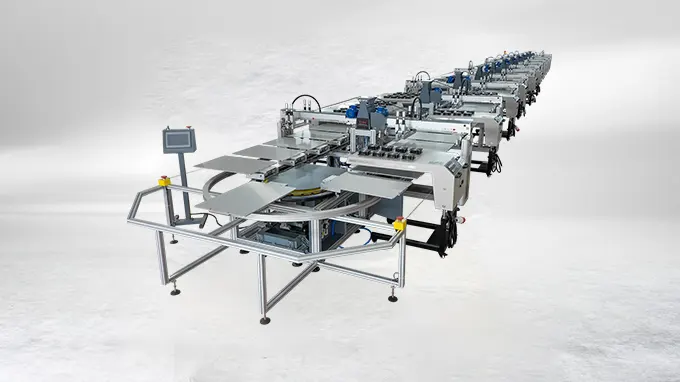
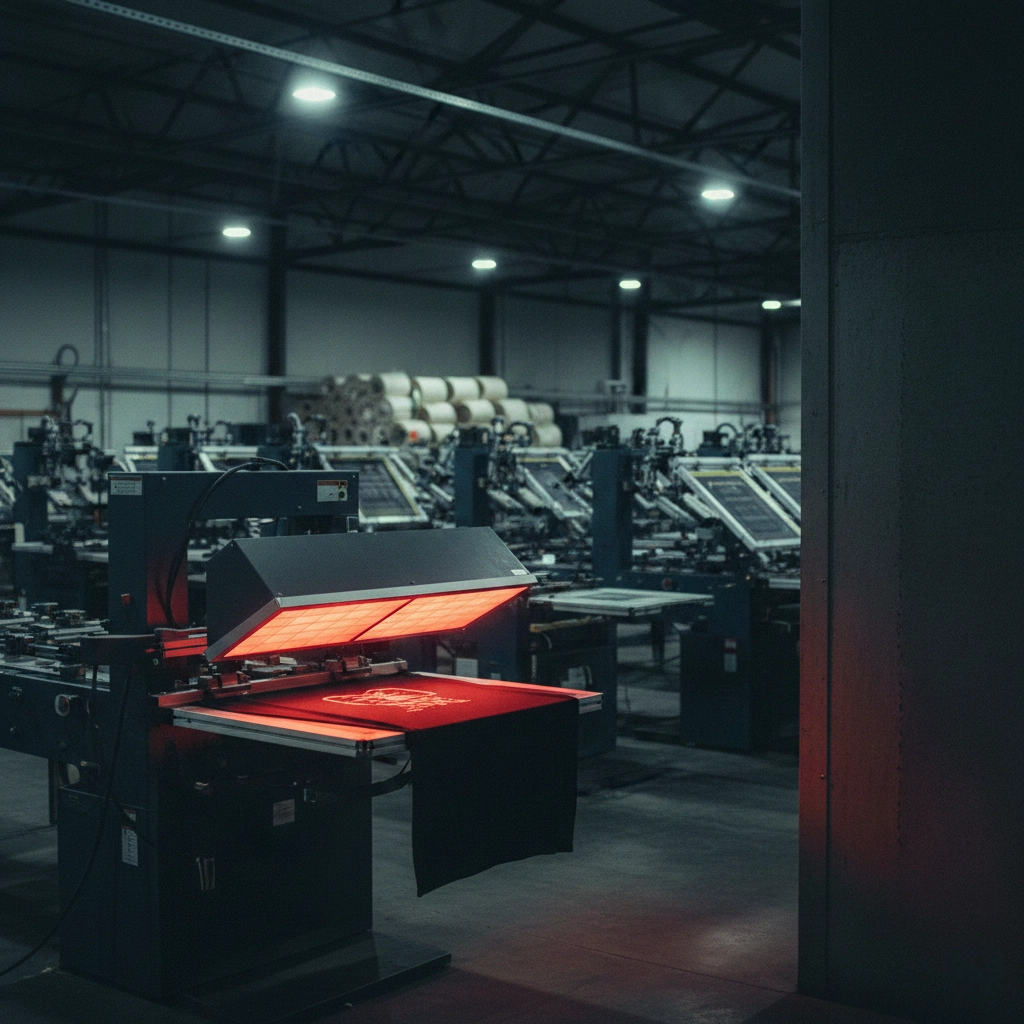
An oval printing machine is a modern solution for textile workshops that want to improve speed and print quality. You can use this machine to print on garments, fabrics, and other materials with high accuracy. The oval shape of the machine allows you to fit more print stations in a smaller area, making it perfect for workshops with limited space.
Key Features
You should look for certain features when choosing an oval printing machine for your workshop. The table below highlights the most important ones:
| Feature | Description |
|---|---|
| Efficient Production Capabilities | The oval design takes up less floor space, optimizing your production area. |
| Precise Registration Systems | High-quality servo-drive indexers provide fast and accurate positioning for different print types. |
| Adjustable Printheads | Tool-free adjustments for squeegee and floodbar angles, plus quick stroke length changes, make setup easy. |
| User-Friendly Controls | Features like maintenance reminders and “Park” mode help you manage setup and maintenance smoothly. |
Tip: Choosing a machine with these features helps you save time and reduce errors during production.
How It Works
You operate an oval printing machine by loading garments onto pallets that move along an oval track. Each print station applies a different color or effect. The machine uses advanced servo motors to move the pallets with high precision. This ensures that every print lines up perfectly, even with complex designs.
- You can quickly change screens and adjust printheads without tools.
- The machine’s digital controls let you set up jobs and monitor progress easily.
- Preventive maintenance systems alert you when it’s time for service, so you avoid unexpected downtime.
Compared to carousel machines, oval printing machines offer several advantages. Manufacturers have reported up to 35% higher throughput after switching to oval configurations. You also get a larger screen area, more color options, and faster changeovers. These benefits make the oval printing machine ideal for workshops that want to boost productivity and handle more complex jobs.
Benefits for Small Workshops
Space Saving
You often face space limitations in a small workshop. An oval printing machine helps you use your floor area more efficiently. The unique oval shape fits more print stations into a compact footprint.
- You can set up more workstations without crowding your shop.
- The design allows you to move around the machine easily, which improves workflow.
- You can install the machine in places where a traditional carousel press would not fit.
Note: Better space utilization means you can expand your production without moving to a larger facility.
Productivity
You want to produce more garments in less time. An oval printing machine increases your output by streamlining the printing process. Once you set up the screens, you can print many items quickly and with less manual intervention. The machine supports repetitive designs, which saves you time on each job. You also reduce downtime because the machine allows for fast screen changes and easy maintenance.
Here is a quick look at the main advantages:
| Advantage | Description |
|---|---|
| Versatility | You can print on fabric, plastic, wood, glass, and metal for diverse jobs. |
| Durability | Heavy ink coverage creates long-lasting prints that resist fading and wear. |
| Cost-effective | High-volume runs lower your unit costs as you grow your business. |
| Exceptional speed | Fast production keeps your orders on schedule and customers satisfied. |
Print Quality
You need to impress your customers with sharp, vibrant prints. An oval printing machine delivers high-quality results, even on complex or custom designs. You can handle small batches of unique prints without losing detail or color accuracy. This ability to offer personalized products gives you an edge in the market.
- Customers want custom designs and quick turnaround times.
- The machine handles intricate artwork and vibrant colors with ease.
- You can meet eco-friendly standards by reducing waste and setup times.
Tip: High print quality leads to happy customers and repeat business.
Choosing Your Oval Printing Machine
Assessing Needs
Before you invest in a new screen printing machine, you need to understand your workshop’s requirements. Start by looking at your current and future production goals. Think about the types of garments you print, the number of colors you use, and the space you have available.
You can use this checklist to guide your assessment:
- Evaluate technical specifications such as print area size and number of color stations.
- Ensure the machine meets industry standards and safety regulations.
- Assess performance metrics like print speed and ink consumption efficiency.
- Consider cost-efficiency factors beyond the initial purchase price, including maintenance and energy consumption.
- Check quality assurance features that ensure consistent, high-quality prints.
- Review integration capabilities with your existing workflows and equipment.
- Investigate after-sales support from suppliers.
By taking these steps, you make sure the machine you choose will fit your business and help you grow.
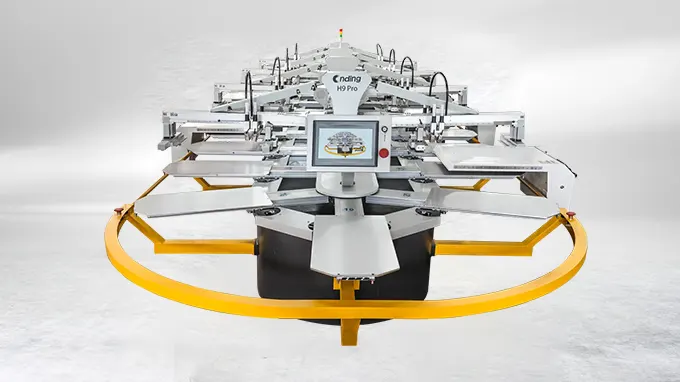
Cnding NB Plus Features
The Cnding NB Plus Oval Screen Printer Machine stands out as a top choice for small-to-medium textile workshops. You get advanced features that boost your productivity and print quality. Here are some highlights:
- High Precision: Registration precision of ±0.01mm ensures flawless multi-color designs.
- Modular Design: Supports 6 to 24 color stations, so you can scale up as your business grows.
- Energy Efficiency: Energy-saving servo motors reduce power consumption by 30% during high-volume runs.
- Versatility: Compatible with various fabrics, including cotton and polyester blends.
You can expand the machine as your orders increase. The modular design lets you add more stations without replacing the entire system. The NB Plus also supports a wide range of printing techniques, making it a flexible solution for many types of jobs. You benefit from quick setup, easy maintenance, and reliable performance.
If you need a machine for specialized or larger-scale production, Cnding offers other models. The table below compares the main options:
| Model | Capacity | Specialization |
|---|---|---|
| H9PRO | Up to 36 color stations | High-end fashion, large-scale production |
| NB Plus | 6 to 24 color stations | Small-to-medium print shops |
| H18 | Not specified | Footwear printing, curved surfaces |
You can see that the NB Plus fits most small-to-medium workshops, while the H9PRO and H18 serve more specialized needs.
Budget and Expansion
When you plan your purchase, you need to consider both the initial cost and the long-term expenses. The initial investment typically ranges from tens of thousands to several hundred thousand US dollars, depending on the configuration. You should also think about ongoing costs like maintenance, operator training, and any changes you need to make to your facility.
The Cnding NB Plus helps you manage these costs. Its energy-efficient design lowers your utility bills. The modular system means you can start small and expand later, spreading out your investment over time. You avoid the need to buy a new machine as your business grows.
Tip: Match the machine’s specifications to your workshop size, production goals, and budget. Choose a model that meets your needs today and can grow with you in the future.
Preparing Your Workshop
Space and Layout
You need to plan your workshop space before installing an oval screen printing machine. The oval design helps you save space, but you must still measure your area carefully. Start by checking the machine’s dimensions. The Cnding NB Plus, for example, has a standard width of 330 cm and a height of 150 cm. The length changes based on the number of color stations you choose.
Tip: Leave at least 1 meter of clearance around the machine for easy movement and maintenance.
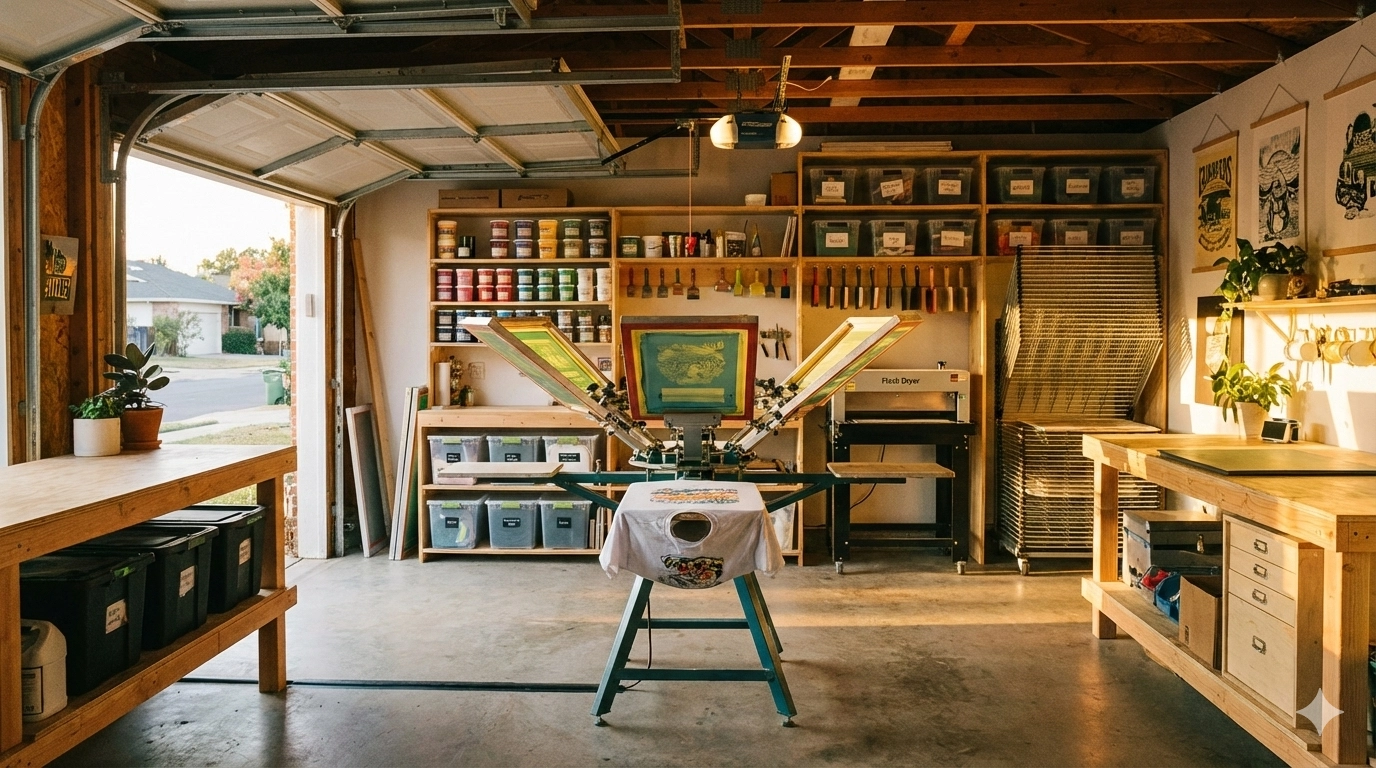
Arrange your workstations so you can load garments, change screens, and clean up without obstacles. Place your ink storage and drying racks close to the printing area. This setup helps you work faster and keeps your workflow smooth.
Here is a simple layout checklist:
- Measure your available floor space.
- Mark the machine footprint and clearance zones.
- Position loading and unloading tables near the entry and exit points.
- Store inks and chemicals away from direct sunlight.
- Keep cleaning supplies within reach.
| Area | Recommended Setup |
|---|---|
| Machine Footprint | Center of workshop |
| Loading Table | Left side of machine |
| Unloading Table | Right side of machine |
| Ink Storage | Shelves near printing stations |
| Drying Rack | Adjacent to exit |
Power and Ventilation
You must check your workshop’s power supply before installation. The Cnding NB Plus requires between 4.5 kW and 14.0 kW, depending on the configuration. Use a dedicated circuit to prevent overloads. Ask a licensed electrician to inspect your wiring and install the correct outlets.
Good ventilation keeps your workspace safe and comfortable. Printing machines release heat and fumes during operation. Install exhaust fans or air purifiers to remove odors and maintain air quality. Open windows when possible to increase airflow.
Note: Proper ventilation protects your health and helps your machine run smoothly.
Follow these steps for a safe setup:
- Confirm your power rating matches the machine’s requirements.
- Install surge protectors to guard against power spikes.
- Set up exhaust fans above the printing area.
- Use air filters to trap dust and ink particles.
- Check ventilation monthly to ensure it works well.
A well-prepared workshop lets you operate your oval screen printing machine efficiently and safely. You create a productive environment that supports high-quality printing and smooth workflow.
Setup Guide
Unpacking and Assembly
When your Cnding oval printing machine arrives, you should start by inspecting the packaging for any visible damage. Use a checklist to confirm all parts and accessories are present. Place the machine components in your prepared workspace. Follow the manufacturer’s manual for step-by-step assembly.
- Position the main frame in the center of your workshop.
- Attach the modular rails and secure them with the provided bolts.
- Install the print stations and pallets according to your chosen configuration.
- Connect the servo motors and AC variable-frequency motors.
- Set up the control panel and power connections.
The Cnding NB Plus features a 90-second quick-release system. This allows you to change screens quickly without removing the entire assembly. You can also use the on-spot screen cleaning feature to keep your equipment in top condition. The integrated preventive maintenance system will alert you when it is time to service key components.
Tip: Keep the assembly area clean and organized to avoid losing small parts.
Calibration and Safety
Before you operate your oval printing machine, you must complete several safety checks and calibration steps:
- Clean the main ink tanks or replace them if needed.
- Replace ink filters and the wiper’s rubber if they show signs of wear.
- Inspect the ink circuit for any damage or leaks.
- Replace the degassing unit if necessary.
- Ensure proper airflow in your workshop to remove solvent fumes.
- Store inks in flame-resistant cabinets and never smoke near the machine.
- Wear gloves, safety glasses, and other personal protective equipment.
- Handle the machine carefully and avoid touching moving parts during operation.
Calibrate the print heads and registration system using the digital controls. Run a test print to check alignment and color accuracy. Adjust the settings until you achieve sharp, consistent results.
Note: Regular calibration and safety checks help you maintain high print quality and protect your team.
Operating Tips
Loading Garments
You want every print to look sharp and consistent. Start by preparing each garment before loading. Place the item flat and smooth out any wrinkles. Align the garment with the registration marks on the pallet.
- Check that the edges match the guides for accurate placement.
- Load the garment gently onto the conveyor belt or feeding mechanism.
- Adjust the position if needed so the design prints in the correct spot.
- Avoid stretching or bunching the fabric, which can cause misprints.
Tip: Take your time with each garment. Careful loading helps you avoid costly mistakes and keeps your prints looking professional.
Screen Alignment
Accurate screen alignment is essential for high-quality results. The oval printing machine uses advanced systems to help you achieve this. Review the table below to understand the key features that support precise alignment:
| Feature | Specification |
|---|---|
| Micro-registration system | ±0.01mm accuracy |
| Motor type | Servo motors preferred over stepper motors |
| Compliance | ISO 9001 and CE safety standards |
| Material standards | FDA-grade for food/pharma applications |
You should use the micro-registration system to fine-tune the screen position. Servo motors provide smooth and reliable movement, which keeps your prints aligned even during long runs. Always check that your machine meets safety and material standards.
Ink and Maintenance
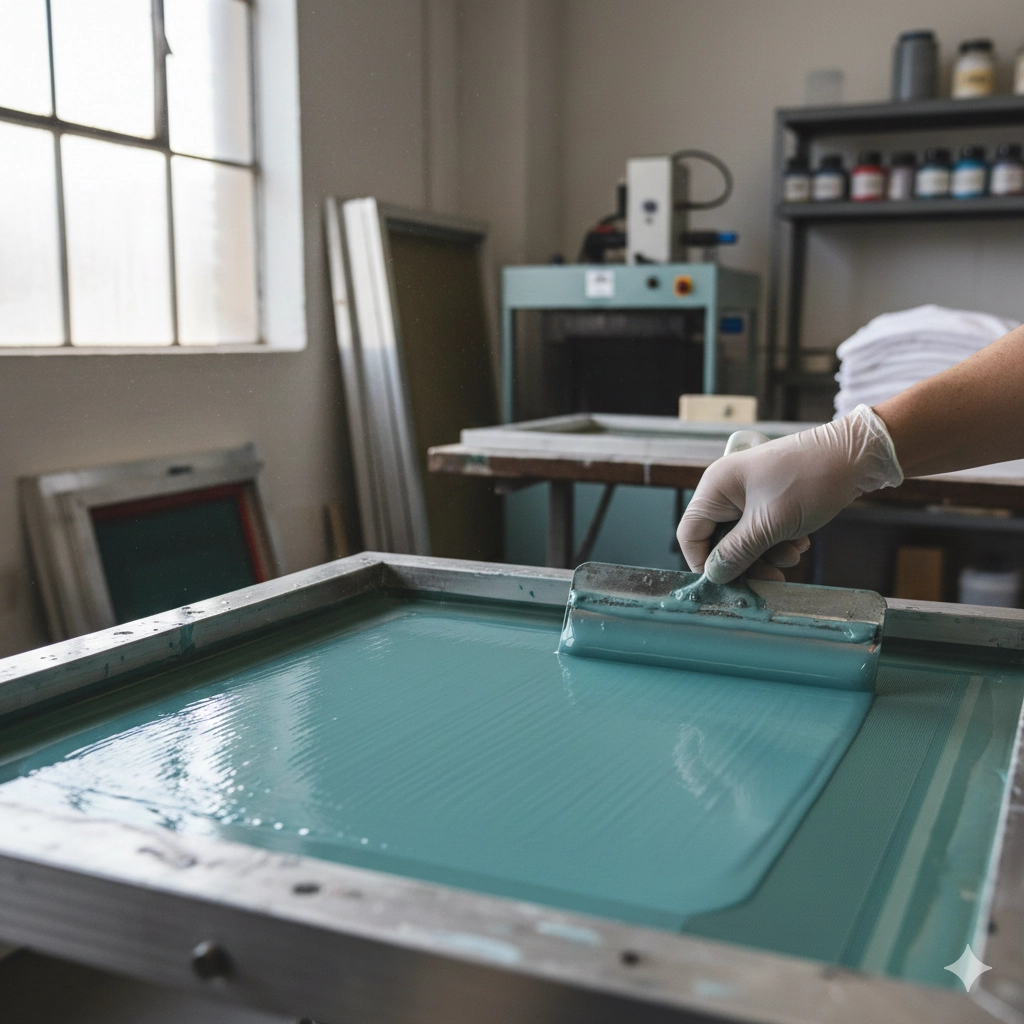
You need to choose the right ink for your fabric type. Water-based inks work well for cotton, while solvent-based inks suit synthetic materials. Mix the ink thoroughly before use. Clean the screens after each job to prevent clogging. Use the on-spot cleaning feature if your machine supports it. Check the ink filters and replace them when you see buildup. Inspect the wiper’s rubber and degassing unit regularly. Follow the preventive maintenance alerts from your machine. Store inks in a cool, dry place away from sunlight.
Note: Regular maintenance keeps your machine running smoothly and extends its lifespan. Clean equipment produces better prints and reduces downtime.
Troubleshooting
Print Issues
You may notice problems with your prints from time to time. These issues can affect the quality of your finished products. The table below shows some common print problems and how you can fix them:
| Issue | Description and Solutions |
|---|---|
| Underexposure | Set the correct exposure time and power. Clean bulbs and reflectors often. |
| Overexposure | Adjust exposure settings. Use fresh emulsion and store it properly. |
| Pinholes in the Stencil | Block stray light. Prepare the stencil carefully before exposure. |
| Blurry Edges | Check exposure settings. Make sure light spreads evenly during exposure. |
| Emulsion Residue or Haze | Clean screens after each use. Apply emulsion with proper technique. |
Tip: Regular checks and cleaning help you avoid most print issues. Always follow the recommended exposure and cleaning steps.
Machine Jams
You might face machine jams during production. These jams can stop your workflow and delay orders. You should act quickly when you spot a jam. First, turn off the machine to prevent damage. Next, check the rails and pallets for any objects or fabric stuck in the track. Remove any debris with care. Inspect the servo motors and belts for signs of wear or misalignment. If you see loose parts, tighten them before restarting the machine.
- Keep the area around the machine clear.
- Lubricate moving parts as recommended.
- Schedule regular inspections to catch problems early.
Note: Quick action and routine checks keep your machine running smoothly.
Maintenance Alerts
Your Cnding oval screen printing machine uses smart systems to warn you about maintenance needs. You will see alerts on the control panel when it is time to service key components. Pay attention to these alerts. Clean or replace ink filters, wiper rubbers, and degassing units as needed. Check for leaks or worn parts. Follow the maintenance schedule in your manual.
- Respond to alerts right away.
- Keep a log of all maintenance tasks.
- Train your staff to recognize and act on alerts.
🛠️ Staying ahead of maintenance helps you avoid costly repairs and keeps your prints looking sharp.
Boosting Efficiency
Workflow
You can boost your workshop’s efficiency by optimizing your workflow with Cnding’s modular and intelligent features. The modular design lets you break down complex printing tasks into smaller, manageable steps. This approach gives you flexibility and makes it easy to scale your production as your business grows. Cnding’s intelligent systems help you monitor key performance indicators and refine your process over time.
Here is a table showing strategies you can use to optimize your workflow:
| Strategy | Description |
|---|---|
| Modular Design | Break down complex workflows into modular components for flexibility. |
| Data Quality | Use clean, structured data to improve automation and reduce errors. |
| Continuous Improvement | Monitor KPIs and adjust workflows based on performance data. |
| User Training | Provide role-based training to improve workflow effectiveness. |
| Compliance | Add compliance checkpoints to meet regulations. |
| Error Handling | Use robust error management to keep production running smoothly. |
Tip: Review your workflow regularly. Small changes can lead to big improvements in speed and quality.
Staff Training
Well-trained staff keep your production running smoothly. You should use a mix of training methods to build skills and confidence. Hands-on training modules help your team learn both basic and advanced techniques. Manufacturer support gives you access to machine-specific knowledge. Educational events and trade shows offer broader learning experiences. Books like “Printing T-Shirts For Fun and Profit” by Scott Fresener provide a solid foundation.
| Training Method | Description |
|---|---|
| Hands-on training modules | Practice basic and advanced techniques in real-world settings. |
| Manufacturer inquiries | Get direct support and learning from the machine’s maker. |
| Educational events | Attend workshops and seminars for in-depth training. |
| Trade shows | Explore new trends and methods in the industry. |
| Recommended reading | Build foundational knowledge with trusted books. |
Note: Ongoing training helps your team adapt to new technology and maintain high standards.
Quality Control
You need strong quality control to deliver consistent results. Set up checkpoints at each stage of production. Inspect prints for color accuracy, sharpness, and alignment. Use Cnding’s preventive maintenance alerts to catch issues early. Keep a log of quality checks and maintenance tasks. This routine helps you spot problems before they affect your customers.
- Check every batch for defects.
- Use digital controls to track print quality.
- Respond quickly to maintenance alerts.
Consistent quality builds your reputation and keeps customers coming back.
You can transform your small workshop by choosing the right oval screen printing machine, setting it up carefully, and operating it with precision. Cnding’s advanced solutions offer long-term benefits:
- High-quality equipment delivers better product outcomes.
- Automation and advanced processes boost efficiency and accuracy.
- Reliable customer service ensures lasting satisfaction.
With the right equipment and guidance, you achieve professional results and grow your business. Take the next step and explore Cnding’s innovative machines. Small workshops have the potential to reach big goals.
FAQ
What can a screen printing machine bring to your business?
Investing in an oval printing machine like Cnding printing machine is not merely about purchasing a piece of equipment; it is also about injecting strong competitiveness into your workshop.
It enables small workshops to gain a foothold in the market by saving precious floor space, maximizing production efficiency, and continuously delivering printing quality comparable to that of large factories.
With meticulous planning, training and maintenance, this machine will become a reliable engine for your business growth.
How much space do you need for an oval screen printing machine?
You need at least 330 cm in width and 150 cm in height for the Cnding NB Plus. The length depends on your color stations. Leave 1 meter of clearance around the machine for safe movement.
Tip: Measure your workshop before ordering to ensure a smooth installation.
Can you expand your machine as your business grows?
Yes, you can add more color stations to the Cnding NB Plus. The modular design lets you scale up without replacing the whole machine. Start small and expand when your orders increase.
| Model | Expandable? |
|---|---|
| NB Plus | ✅ |
| H9PRO | ✅ |
| H18 | ✅ |
What types of fabrics can you print on?
You can print on cotton, polyester, silk, denim, and blends. The machine supports water-based and solvent-based inks. Adjust the temperature and pressure settings for each fabric type.
Note: Always test new materials before full production.
How do you maintain your oval screen printing machine?
Clean screens after each job. Replace ink filters and wiper rubbers regularly. Follow preventive maintenance alerts on the control panel. Lubricate moving parts as recommended in the manual.
- Clean screens
- Replace filters
- Lubricate parts
Is training required to operate the machine?
You need basic training to operate the machine safely. Cnding provides manuals and support. Hands-on practice helps you learn faster. Attend workshops or ask for manufacturer guidance to improve your skills.
Well-trained staff produce better prints and reduce errors.
- Key Takeaways
- What Is an Oval Printing Machine?
- Benefits for Small Workshops
- Choosing Your Oval Printing Machine
- Preparing Your Workshop
- Setup Guide
- Operating Tips
- Troubleshooting
- Boosting Efficiency
-
FAQ
- What can a screen printing machine bring to your business?
- How much space do you need for an oval screen printing machine?
- Can you expand your machine as your business grows?
- What types of fabrics can you print on?
- How do you maintain your oval screen printing machine?
- Is training required to operate the machine?