


How Screen Printers Can Minimize Plastisol Ink Buildup
Plastisol ink buildup reduction starts with attention to every stage of screen printing. Ink buildup wastes time and materials. It can lower print quality and cause equipment downtime. Proactive steps, such as regular maintenance and controlled printing techniques, help printers avoid costly problems. Treating buildup as a system-wide issue ensures consistent results.
Plastisol Ink Buildup Reduction: Why It Matters
Hidden Costs Of Ink Buildup
Plastisol ink buildup reduction is important for every screen printing shop. Ink buildup does not just affect the look of the final product. It also creates hidden costs that can slow down production and increase expenses. Printers often spend extra time cleaning screens and equipment. This leads to wasted labor and lost productivity. Materials like ink and mesh may need replacement more often. Print quality suffers when buildup causes uneven ink transfer or blurred designs. Customers may notice these flaws, which can hurt a shop’s reputation.
Tip: Regular inspection and cleaning help prevent these hidden costs and keep production running smoothly.
System Nodes Amplifying Buildup
Ink buildup can happen at many points in the printing process. Each system node, such as the screen, squeegee, and printhead, can amplify the problem if not maintained. When particulate matter accumulates, it can cause operational issues. Frequent cleaning of the printhead becomes necessary, leading to increased downtime. If printers do not address the root cause, buildup can spread and affect other equipment. Understanding how buildup travels through the system helps shops design better workflows and choose improved ink formulations.
- Increased downtime from frequent cleaning
- Operational issues caused by particle accumulation
- Better designs and ink choices can reduce buildup and improve print quality
A proactive approach to plastisol ink buildup reduction keeps every part of the system working efficiently.
Equipment Maintenance With Solutions
Screen Cleaning And Inspection
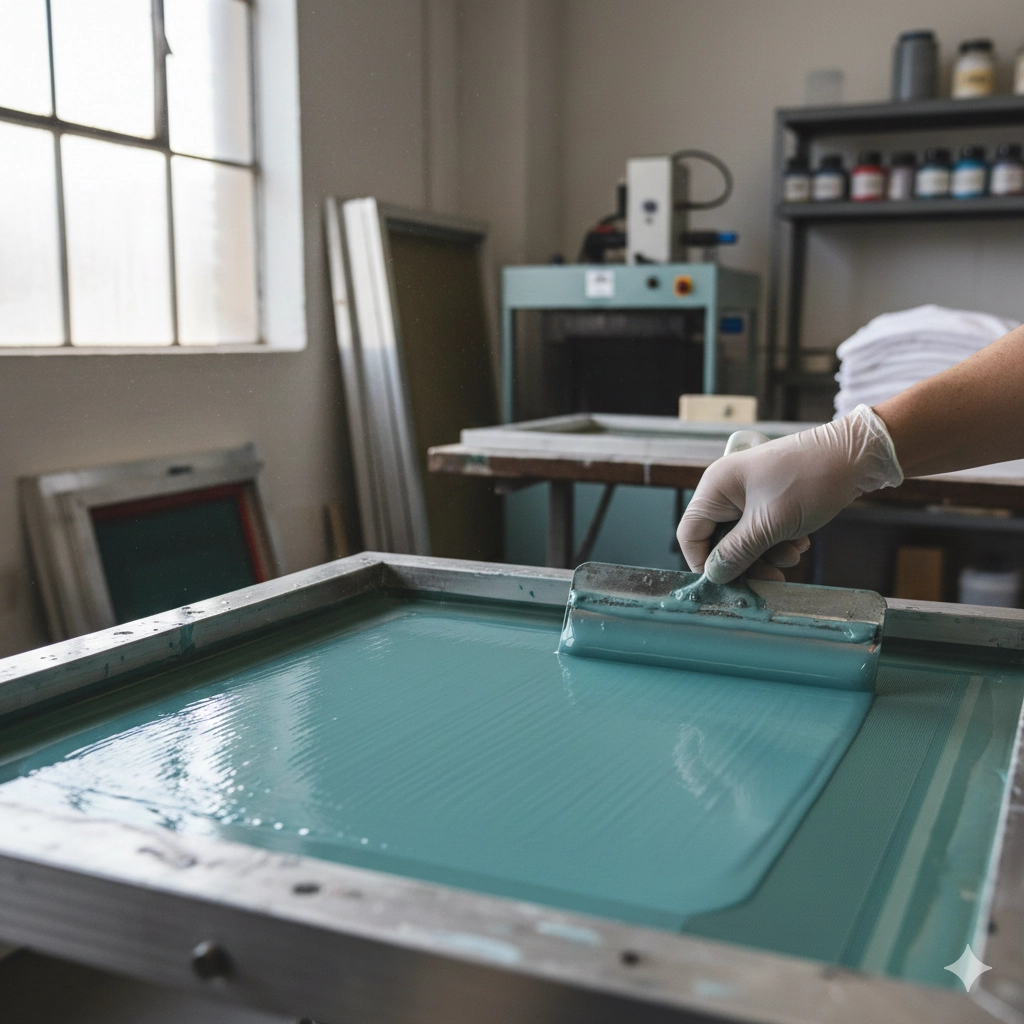
Clean screens are the foundation of high-quality prints. Regular cleaning removes dried ink and debris that can block the mesh. Inspection helps spot early signs of damage or buildup. When printers clean screens after each job, they prevent ink from hardening and causing clogs. This practice extends the life of the mesh and reduces the risk of ghost images on future prints.
Cnding’s automation equipment supports easy screen removal and cleaning. The design allows operators to access screens quickly, which minimizes downtime and keeps production moving.
Mesh Tension And Replacement
Mesh tension affects how ink passes through the screen. Low tension can cause uneven prints and increase the chance of ink buildup. High tension ensures sharp edges and consistent ink flow. Printers should check mesh tension with a tension meter before each run. If the mesh loses tension or shows signs of wear, replacement is necessary.
- High-tension mesh reduces the risk of plastisol ink buildup reduction.
- Consistent tension leads to better registration and fewer print defects.
Cnding’s advanced machines help maintain proper mesh tension. The equipment features precise controls that make adjustments simple, even for new operators.
Squeegee Care And Selection
The squeegee pushes ink through the mesh. A worn or damaged squeegee can leave streaks and cause ink to collect on the screen. Regular inspection and cleaning of squeegees prevent these problems. Printers should choose the right squeegee hardness for each job. Softer blades work well for delicate prints, while harder blades suit bold designs.
- Clean squeegees after every shift.
- Replace blades that show nicks or uneven edges.
- Store squeegees flat to avoid warping.
Cnding’s user-friendly machines allow for quick squeegee changes. This feature helps shops keep up with maintenance and avoid unnecessary downtime.
Preventive Maintenance Routines
A strong preventive maintenance routine is key to plastisol ink buildup reduction. Shops that follow a schedule for cleaning and inspection see less downtime and fewer equipment failures. Preventive maintenance includes checking all moving parts, cleaning printheads, and lubricating machinery.
Benefits of preventive maintenance include:
- Minimizes downtime caused by cleaning.
- Reduces the frequency of maintenance interventions.
- Lowers the cost associated with replacement parts and service calls.
- Ensures consistent print quality without interruptions.
- Increases production line efficiency by minimizing maintenance.
Proper maintenance of t-shirt printing machines is crucial for consistent output. Keeping the workspace clean and following the manufacturer’s manual helps reduce downtime. Regular cleaning of screens is essential to prevent ink buildup and ensure equipment longevity.
Cnding’s technical expertise and after-sales support make preventive maintenance easier. Their advanced machines are designed to minimize cleaning needs and prolong the lifespan of critical components. This approach leads to higher uptime, lower operational costs, and consistent, high-quality prints.
Tip: A well-maintained shop experiences fewer breakdowns and produces better prints. Schedule regular checks to keep equipment in top shape.
Printing Techniques For Buildup Reduction
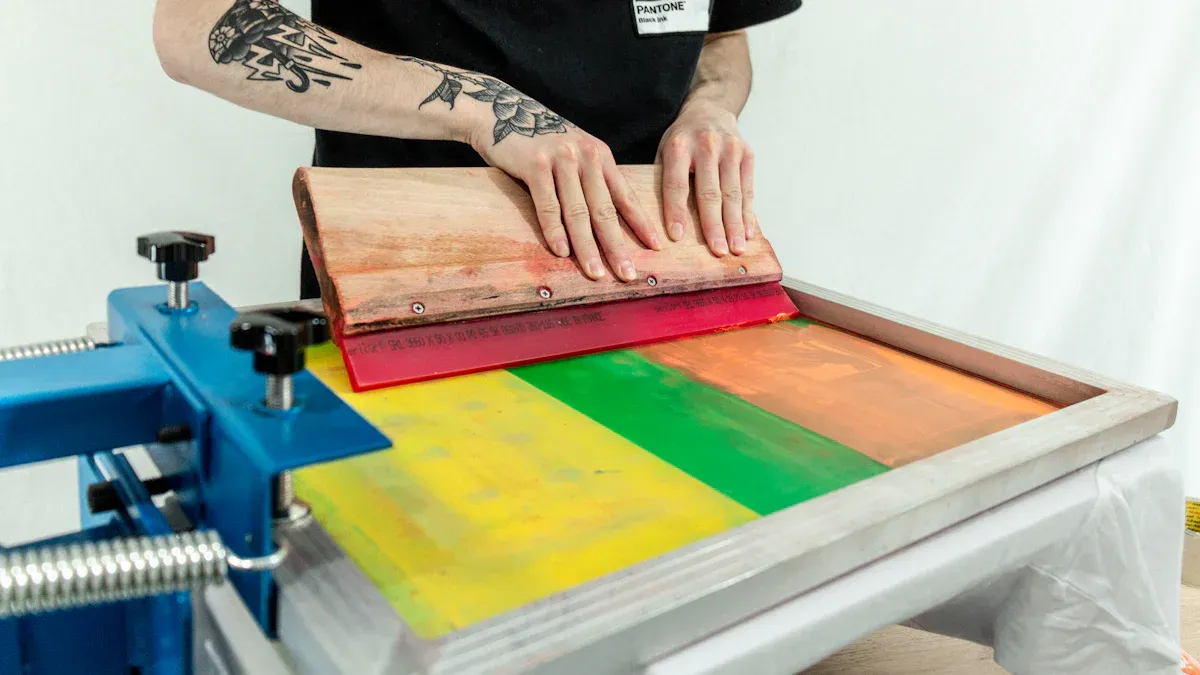
Printing technique plays a major role in achieving consistent results and minimizing ink waste. Each step in the printing process can either help or hinder plastisol ink buildup reduction. Careful attention to technique ensures that every print is sharp, clean, and repeatable.
Low-Tack Ink Selection
Low-tack inks stick less to the screen mesh. This feature helps reduce ink buildup during long print runs. Printers who choose low-tack inks see fewer interruptions for cleaning. These inks also make it easier to achieve smooth, even prints. When selecting ink, always check the manufacturer’s recommendations for your fabric type.
Tip: Test a small batch before starting a large job. This practice helps confirm that the ink works well with your mesh and substrate.
Cnding’s advanced machines handle a wide range of ink types. Their user-friendly controls allow for quick adjustments, making it simple to switch between different ink formulations.
Ink Viscosity Control
Ink viscosity refers to how thick or thin the ink is. Proper viscosity ensures smooth flow through the mesh. If the ink is too thick, it can clog the screen and cause buildup. If it is too thin, it may bleed and create blurry prints. Printers should stir ink thoroughly and use viscosity modifiers when needed.
- Thick ink increases the risk of buildup.
- Thin ink can lead to poor coverage and waste.
Cnding’s equipment features precise settings for ink delivery. Operators can fine-tune viscosity to match the needs of each job, which helps maintain consistent quality.
Squeegee Angle And Pressure
The angle and pressure of the squeegee affect how much ink passes through the mesh. A steep angle pushes less ink, while a shallow angle allows more ink to flow. Too much pressure can force excess ink onto the screen, leading to buildup. Too little pressure may not transfer enough ink.
Tip: Adjust squeegee angle and pressure based on the ink type and mesh count. Small changes can make a big difference in print quality.
Cnding’s machines let users set the exact squeegee angle and pressure. This feature helps reduce errors and ensures repeatable results.
Flood Stroke Technique
The flood stroke spreads a thin layer of ink across the screen before printing. This step keeps the mesh open and prevents ink from drying in the holes. A proper flood stroke reduces the chance of buildup and helps maintain sharp details.
- Use a smooth, even motion for the flood stroke.
- Avoid leaving excess ink on the screen between prints.
Cnding’s automated systems provide consistent flood strokes. This automation leads to less manual error and more reliable prints.
Off-Contact Adjustments
Off-contact is the small gap between the screen and the substrate. Proper off-contact prevents the screen from sticking to the print surface. If the gap is too small, ink can smear and build up on the mesh. If the gap is too large, prints may lose detail.
Tip: Adjust off-contact height for each job. Thicker substrates may need a larger gap.
Cnding’s machines allow for quick off-contact adjustments. This flexibility supports high-quality prints on a variety of materials.
Print Order And Flash Curing
The order in which colors are printed affects ink buildup. Printing lighter colors first can help prevent contamination. Flash curing between colors dries the ink slightly, which stops wet ink from transferring to the next screen. This process reduces buildup and keeps colors crisp.
- Plan the print order before starting the job.
- Use flash curing for multi-color designs to improve registration and reduce waste.
Cnding’s hybrid machines combine printing and flash curing in one system. This integration saves time and ensures each layer is properly set before the next print.
Accurate Registration
Accurate registration means each color lines up perfectly with the others. Poor registration can cause ink to overlap, leading to buildup and wasted materials. Careful alignment is especially important for multi-color prints.
- Use registration marks to guide screen placement.
- Check alignment before each run.
Cnding’s user-friendly interface makes registration easy. Operators can make fine adjustments quickly, which helps maintain consistency across large print runs.
Consistent technique and proper machine settings are key to reducing ink waste and achieving high-quality results. Efficient printing methods, such as proper fabric preparation and careful screen alignment, help minimize waste and improve consistency.
Environmental Controls In The Print Shop
Temperature Management
Temperature affects how plastisol ink behaves during printing. High temperatures can cause ink to dry too quickly on the screen, leading to buildup. Low temperatures may slow down ink curing, which can result in smudging or incomplete prints. Printers should monitor the shop’s temperature with a reliable thermometer. Most plastisol inks work best between 70°F and 90°F. Keeping the print area within this range helps maintain consistent ink flow and reduces the risk of buildup.
Tip: Place temperature sensors near printing stations for real-time monitoring. Adjust fans or heaters as needed to keep the environment stable.
Workspace Cleanliness
A clean workspace prevents dust and debris from contaminating screens and ink. Particles in the air can settle on wet ink, causing defects and increasing the chance of buildup. Printers should sweep floors daily and wipe down surfaces before each shift. Organizing tools and supplies also helps reduce clutter and accidents.
- Clean screens and squeegees after every job.
- Store inks in sealed containers to avoid contamination.
- Use lint-free cloths for wiping equipment.
Humidity And Exposure Time
Humidity levels in the shop can change how ink dries and adheres. High humidity may slow ink drying, while low humidity can cause ink to thicken. Printers should use a hygrometer to track humidity. Aim for a range of 40% to 60% for best results. Limiting the time screens are exposed to air between prints also helps prevent ink from drying on the mesh.
Tip: Quick exposure to air can cause ink to dry on the screen. Work efficiently and cover screens when not in use.
Screen printers can reduce plastisol ink buildup by maintaining equipment, using proper printing techniques, and controlling shop conditions. Proactive steps lead to better prints, less waste, and fewer delays.