


Flash-Cure Units: Their Impact on Screen Printing
Flash-cure units in textile screen printing help printers create bright, durable designs on dark garments. These units heat ink to specific temperatures, improving adhesion and reducing production delays.
For example, when the curing temperature reaches 320°F, ink adhesion can increase by 30%. The right equipment, like that from cnding, supports smooth workflows and consistent print quality.
Flash-Cure Units in Textile Screen Printing Workflow
Application on Dark and White Garments
Flash-cure units in textile screen printing play a vital role in producing high-quality prints on both dark and white garments. Printers often face challenges when working with dark fabrics because ink colors can appear dull or uneven. To solve this, many shops use a flash-cure unit to dry a white underbase before adding other colors. This process helps create bright, opaque designs that stand out on dark shirts.
Using a flash-cure unit for underbases ensures that each layer of ink dries quickly, which prevents colors from mixing and keeps prints sharp.
The workflow steps where flash-cure units in textile screen printing are most commonly integrated include:
- Curing the underbase layer to provide a dry surface for additional colors.
- Improving ink adhesion and preventing bleeding, especially on dark garments.
- Maintaining consistent print quality throughout the production run.
Industry data shows that the use of flash-cure units in textile screen printing differs between dark and white garments. The table below highlights these differences:
| Technique | Dark Garments | White Garments |
|---|---|---|
| Ink Type | Low-bleed ink | Standard ink |
| Flash Curing | Essential for opacity and preventing bleeding | Less critical for opacity |
| Underbase | Flash cure underbase required | Not typically needed |
| Printing Method | Print-flash-print for extra coverage | Standard printing methods suffice |
Flash underlays are essential for achieving opaque prints on dark garments. Printers use them with plastisol and water-based inks to boost color brightness and opacity. The underlay, usually white, is cured under a flash unit so that the next colors can be printed on a dry surface.
Boosting Production Efficiency
Flash-cure units in textile screen printing help break production bottlenecks and enable parallel processing. When printers use flash-cure units, they can dry one layer of ink while preparing the next screen. This method speeds up the workflow and reduces waiting times between steps.
Investing in flash-cure units can lead to enhanced production efficiency. Businesses achieve quicker turnaround times and can better meet the growing demand for custom printed products. For example, a shop that adds a flash-cure unit may complete more jobs in a day because the drying process is faster and more reliable.
Cnding offers advanced automation solutions for scaling up textile screen printing production. The table below shows some features and benefits of cnding’s equipment:
| Feature | Benefit |
|---|---|
| Modular design | Allows for easy expansion without replacing the entire machine |
| Smart systems for maintenance | Reduces downtime and enhances operational efficiency |
| High precision | Ensures consistent quality in production |
| Automated workflow | Streamlines the printing process, reducing manual errors and labor costs |
Cnding’s technology supports efficient workflows and consistent results. Their machines help businesses handle larger orders and maintain high standards of print quality. With over 20 years of experience, cnding provides reliable solutions for shops looking to upgrade their production lines.
Artwork Design and Color Separation
Integrating Flash-Cure in Design
Artwork preparation changes when printers use flash-cure units in textile screen printing. Designers must plan for each layer of ink to dry quickly and evenly. This step helps keep colors bright and lines sharp.
Flash-cure units apply a bright burst of heat to lightly dry the inks while printing. This process is essential for managing print quality and ensuring accurate reproduction of artwork, as it helps maintain consistent temperatures in the pallets and inks.
Designers often adjust their files to match the flash-cure process. They may add underbase layers or separate colors to avoid unwanted blending. Planning for flash curing during the design phase leads to better results on the press.
The table below shows best practices for integrating flash-cure units into the design phase:
| Best Practice | Description |
|---|---|
| Timing | Incorporate flash curing when printing on dark garments to enhance vibrancy. |
| Temperature Control | Use a temperature gun to ensure the ink is gelled at 240°F – 250°F. |
| Flash Unit Position | Adjust the height of the flash unit for different garment types. |
| Adhesive Selection | Use flash spray adhesive that withstands high temperatures. |
| Environmental Factors | Monitor airflow and temperature changes in the printing area. |
Optimizing Color Layers
Flash-cure units help printers manage complex designs with many colors. Each layer must dry before the next one prints. This process keeps colors from mixing and helps maintain registration.
Flash-cure units are essential for managing heat during the curing process, which is crucial for maintaining registration and color consistency in complex designs. Advanced quartz flash units enable precise temperature control, allowing for effective handling of different ink types and fabrics, ultimately leading to better production efficiency and lower energy costs.
Overuse of flash curing can lead to heat retention, which negatively impacts mesh tension, registration, and the performance of subsequent colors. Proper flash setup can help control surface temperature and minimize heat buildup, ensuring that the ink is set correctly without causing defects.
Investing in fast, medium-wave IR quartz flash units allows for better control over flash duration and temperature, which is vital for optimizing the curing process across various ink types and garment materials.
Digital Tools and Cnding Support
Digital tools make color separation and design easier. High-resolution files and vector graphics keep artwork sharp. Cnding’s technical support helps printers reduce mistakes and save time.
- Ensure high definition by using high-resolution or vector formats to maintain design sharpness.
- Simplify the design by reducing complex details and prioritizing solid colors.
- Implement proper color management by converting to print-friendly color modes and performing color separation.
Cnding offers guidance and training for using their equipment. Their support helps shops achieve accurate prints with less trial-and-error. This leads to faster setup and more reliable results.
Technical Challenges and Solutions
Tackiness and Ink Selection
Tackiness is a sticky feeling that can appear on prints after flash curing. This problem often happens when the ink does not cure properly or when the wrong ink type is used. Printers must choose inks that work well with their fabrics and flash-cure units. Using bleed-resistant inks helps prevent dye migration, especially on dark garments.
Cnding machines support the use of additives like thinners, retarders, and thickeners. These additives help control ink viscosity and improve performance. Monitoring temperature and humidity in the print shop also reduces issues like premature drying or excessive tackiness.
Adjust the flash cure temperature to 240–250°F and keep dwell time short to avoid over-curing or under-curing. This helps maintain bright colors and prevents bleeding.
| Aspect | Recommendation |
|---|---|
| Flash Cure Temperature | 240–250°F |
| Dryer Temperature | 270–300°F |
| Dwell Time | Shorter is better |
Multiple Flashes for Complex Prints
Complex designs often need several layers of ink. Each layer may require its own flash cure to keep colors from mixing. However, too many flashes can make the print feel thick or stiff. Printers must plan their artwork and color separations carefully. Flashing is essential for underbases and highlight whites, especially on dark garments.
Some specialty inks need special attention during flashing to avoid muddy colors. Cnding’s advanced controls allow printers to adjust temperature, height, and dwell time for each job. This flexibility helps manage multi-flash designs without sacrificing print quality.
- Flashing between colors can help with registration, but may lead to a heavy print if overused.
- Specialty inks require careful flashing to keep colors clean and vibrant.
Press Setup and Registration
Proper press setup is key for effective flash curing. Preheating pallets warms both the fabric and ink, which reduces flash cure time and keeps results consistent. Shielding the flash unit from drafts ensures the right temperature for ink gelling.
Managing humidity is also important, as moisture in cotton garments can change curing times. During long print runs, shop temperatures may rise, so adjustments might be needed. Cnding’s equipment helps maintain stable conditions, making it easier to achieve accurate registration and high-quality prints.
Consistent press setup and careful monitoring of environmental factors lead to better results and fewer production issues.
On-Press Optimization and Heat Management
Screen Quality and Mesh
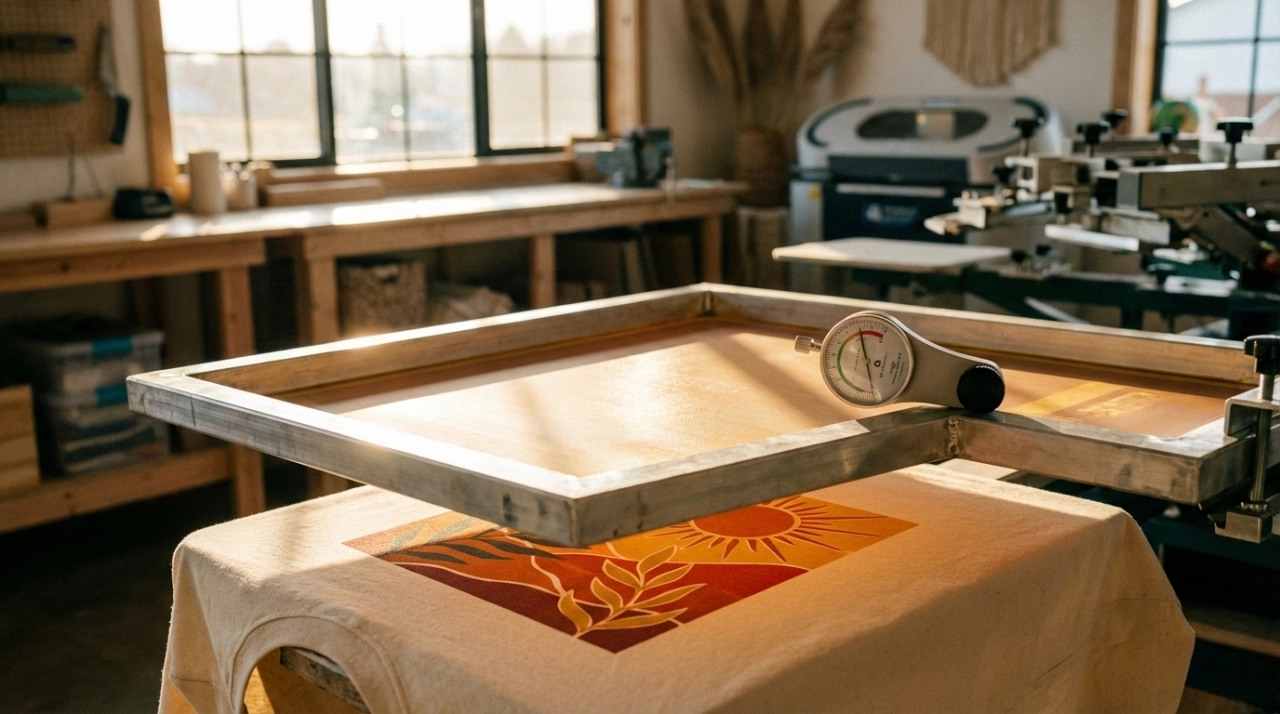
Screen tension and mesh quality play a major role in producing sharp, vibrant prints. When the screen tension is too low, the mesh can shift after the squeegee passes, causing misalignment and smeared designs. High-tension meshes help the ink transfer smoothly and keep prints crisp. Maintaining optimal screen tension and mesh quality is essential for consistent results, especially when using flash-cure units. Printers who check their screens regularly avoid common problems and achieve better outcomes.
Flash Unit Setup and Temperature
Setting up the flash-cure unit correctly ensures that each print cures evenly. The following steps help maintain consistent temperature control:
- Monitor the room’s temperature and humidity to keep conditions stable.
- Use a temperature probe to check the ink layer during curing.
- Avoid overloading the dryer so that the heat spreads evenly.
- Preheat the dryer before starting a new batch for uniform curing.
- Perform regular maintenance on the curing equipment to keep it working properly.
Heat management strategies also include preheating the fabric to remove moisture and wrinkles. This step creates a smooth surface and improves ink adhesion. Adjusting temperature and pressure settings for each material is important. Consistent pressure helps bond the ink to the fabric.
Cnding’s technology supports heat management by using aluminium pipes in the development unit. These pipes act as heat sinks, helping to dissipate excess heat and maintain stable temperatures during printing. This design ensures reliable results and protects the integrity of each print.
Managing Dwell Time
Dwell time refers to how long the ink stays under the flash unit. Managing dwell time is critical for curing ink properly. If the ink does not cure long enough, prints may fade or wash away. Short dwell times, such as 3–5 seconds, work for thin ink layers. Larger prints may need up to 60 seconds to cure fully. Neglecting this process can lead to poor print quality, much like undercooking a cake. Printers who adjust dwell time for each job achieve better durability and brighter colors.
Flash-cure units have transformed textile screen printing. They speed up production and improve artwork design. Printers see better results with quick ink drying and precise curing.
- Advanced heating elements help prevent smudging and color bleeding.
- Uniform temperatures and larger heating areas support complex jobs.
- Daily maintenance keeps equipment running smoothly.
Automatic flash-cure units streamline workflows and reduce errors. Businesses benefit from consistent quality and efficient use of resources. Upgrading to solutions like those from cnding helps shops grow and maintain high standards over time.