


How Weather Impacts Screen Printing Quality
Screen printing may seem straightforward, but it’s a delicate craft where small oversights can compromise the final product. Weather—specifically temperature and humidity—plays a subtle yet powerful role behind the scenes. These factors quietly influence ink flow, screen stability, and substrate behavior, potentially causing blurred patterns, faded colors, or even ruined batches. In this article, we’ll explore how weather affects every aspect of screen printing and share practical tips to help printers tackle these invisible challenges.
Ink: The Weather’s Canvas
Ink is the heart of screen printing, but its performance hinges on weather conditions. Temperature and humidity act like unseen brushes, altering ink’s behavior in unexpected ways.
Viscosity: A Delicate Balance
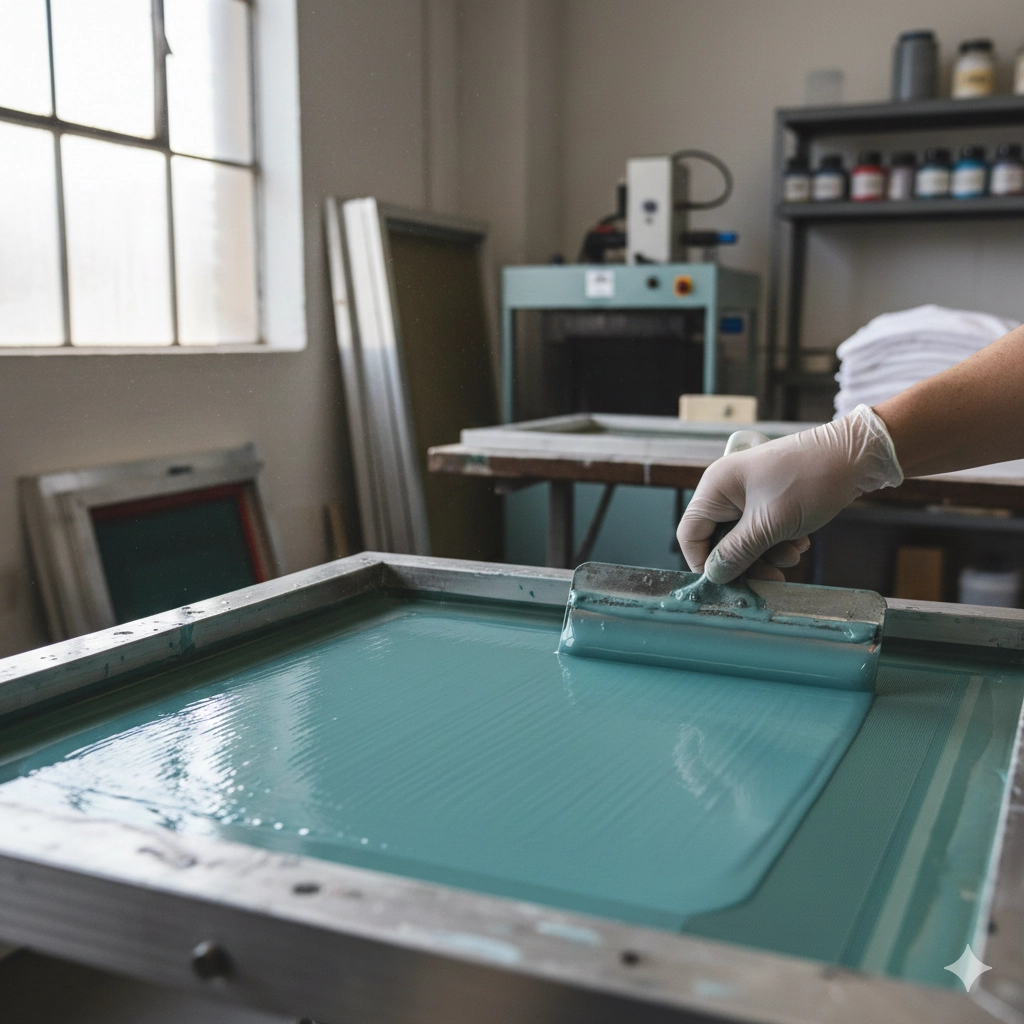
Ink viscosity, much like the thickness of honey, determines how smoothly it flows through the screen. In hot weather, ink molecules become more active, lowering viscosity and making the ink thinner. This is especially noticeable in summer, where runny ink can leak, blur pattern edges, or create irregular “bleeding” on fabrics. Fine text or intricate designs may lose detail, and thin ink can spill over screen edges, dirtying equipment and increasing cleanup time.
Conversely, cold weather slows ink molecules, increasing viscosity and turning ink thick and sticky, like congealed glue. Thick ink struggles to pass through fine mesh, leading to broken lines or incomplete prints. It can also form stringy threads during scraping or trap air bubbles, leaving the print surface uneven and pitted.
Humidity adds another layer of complexity. High humidity can cause water-based inks to absorb moisture, thinning them out and dulling colors, sometimes leading to leaks. Dry conditions, on the other hand, speed up solvent evaporation, thickening ink mid-process and disrupting smooth printing. These issues are particularly pronounced during rainy seasons or dry winters.
Drying Speed: A Tricky Tightrope
Ink drying is like baking a cake—timing and conditions must be just right. Hot, dry weather accelerates drying, akin to a cake crusting over while the inside stays raw. Ink may solidify on the screen prematurely, clogging mesh and forcing frequent cleaning stops. Worse, a quick-drying surface can trap wet ink underneath, causing cracks or poor adhesion, often resulting in faded colors.
In contrast, cold, humid conditions slow drying, like baking in a damp oven. Ink stays tacky, risking smudging or sticking, especially in multi-color prints where wet layers can’t support subsequent ones, leading to misalignment or muddy colors. High humidity also hinders solvent evaporation, prolonging drying times and leaving surfaces uneven or less glossy.
Hidden Effects
Beyond viscosity and drying, weather subtly alters other ink properties. High humidity can make ink absorb water, reducing opacity or vibrancy. Cold temperatures may weaken adhesion, causing ink to flake off. Dry conditions can dull ink’s sheen or cause cracking. Different inks react uniquely: water-based inks struggle with moisture, plastisol inks dislike cold, and UV inks are particularly sensitive to low temperatures. Even ink storage can suffer—hot, humid conditions may cause ink to thicken or separate in the can.
Screens and Substrates: Weather’s Shape-Shifters
Screens and substrates, like canvas and paint, are critical to screen printing, but weather can throw them off balance.
Screens: Tension and Emulsion Challenges
The screen is the backbone of printing, with mesh tension and emulsion stability dictating quality. High heat or humidity can cause nylon or polyester mesh to absorb moisture, swelling like a sponge and reducing tension. This leads to uneven ink application and blurry patterns. In cold, dry conditions, mesh may shrink and become brittle, risking tears during stretching or permanent deformation.
Emulsion coating and drying are also weather-sensitive. Hot, humid conditions slow emulsion drying, potentially causing uneven layers or defects like pinholes during exposure. Dry environments can trigger static, attracting dust that leaves specks on prints. Humidity levels above 70% or below 40% amplify these issues.
Substrates: Shifting Sizes and Surfaces
Substrates like paper, fabric, or plastic “breathe” with weather changes. High humidity causes paper or textiles to swell, while low humidity makes them shrink. These tiny shifts—sometimes just 0.1 mm—may go unnoticed in single-color prints but can ruin multi-color jobs, causing misalignment or fuzzy overlaps. Plastics may soften or expand in heat, affecting ink adhesion, while cold can make fabrics brittle and prone to tearing.
Dry weather also brings static, which attracts dust and debris to substrates, embedding specks in the final print. Static can cause materials to stick together, jamming automated feeders, or even spark, posing safety risks in shops using flammable solvents.
The Printing Process: Weather’s Hidden Director
Weather doesn’t just affect materials—it orchestrates issues throughout the printing process, from misaligned colors to uneven drying.
Misalignment: Subtle Size Shifts
Multi-color printing demands precise layer alignment, but temperature and humidity shifts can alter substrate dimensions. For instance, paper may expand 0.1–0.5% in high humidity, misaligning colors and blurring edges. Fabrics twist when damp, and plastics deform in heat, distorting fine lines. If screen-stretching and printing areas have different climates, tension changes can worsen these issues.
Static: Dry Weather’s Silent Saboteur
Low humidity breeds static, especially below 30%. Charged substrates attract dust, staining prints, or cling to screens, disrupting alignment and slowing production. In extreme cases, static sparks can ignite flammable solvents, creating safety hazards.
Drying and Curing: A Balancing Act
Ink drying and curing is a race against time, with weather setting the pace. Hot, dry conditions cause “false drying,” where the ink’s surface hardens while the interior remains wet, leading to bubbles or cracks. Cold, humid environments slow drying, causing smudging or color bleeding, especially in multi-color prints. Water-based inks struggle in humidity, while solvent-based inks may clog screens in heat.
Ripple Effects
Heat can soften squeegees, destabilizing pressure, while cold increases ink resistance, causing skips. High humidity slows drying ovens, extending production time, and poor airflow worsens uneven drying. Long-term climate fluctuations can even raise maintenance costs, like frequent screen cleanings due to clogs.
Taming the Weather: Practical Solutions
Printers can counter weather’s whims with smart strategies:
- Control the Environment: Invest in climate control to maintain 20–25°C and 40–60% humidity. Dehumidifiers or humidifiers can help stabilize conditions.
- Adjust Inks: Use thinners or retarders to fine-tune viscosity and drying speed. Opt for weather-resistant inks, like low-volatility solvent types.
- Optimize Screens and Substrates: Choose moisture-resistant polyester or stainless steel mesh. Pre-treat substrates to stabilize dimensions and store them sealed.
- Manage Static: Use ionizers or grounding systems to reduce static buildup. Regularly clean screens and substrates to minimize contamination.
- Monitor Conditions: Check tension, humidity, and temperature in real time, adjusting print speed, squeegee pressure, or drying times as needed.
Conclusion: Mastering Weather for Flawless Prints
Weather may be an unseen force in the print shop, but its impact on ink, screens, substrates, and the printing process is undeniable. By understanding these effects and applying targeted solutions, printers can turn weather challenges into opportunities for precision. Whether it’s a scorching summer or a chilly winter, controlling temperature and humidity ensures sharper patterns, vibrant colors, and smoother production—a perfect print, every time.