


How Do I Keep Ink from Drying Up in My Silk Screen
Silkscreen printers often face one frustrating problem—ink drying on the screen during a print run. Whether you’re a beginner or a seasoned screen printing professional, dried ink in the mesh can clog your design, halt production, and waste material.
In this guide, you’ll learn why ink drying happens, how to prevent it, and what practical steps you can take to keep your screenprinting setup running smoothly.
Why Ink Dries on the Screen
Ink dries due to a combination of air, time, heat, and exposure. This is especially common when printing with water-based ink, which contains moisture that evaporates quickly under dry or hot conditions.
Common causes include:
- Leaving ink idle on the screen between prints.
- High temperature and low humidity environments.
- Fine mesh counts that allow moisture to escape faster.
- Using retarder-free formulas in warm studios.
- Long breaks in production with no proper screen care.
Ink sitting too long in the image area or without motion will start forming a film or clog the stencil. This disrupts your next print, reduces quality, and forces a full screen wash mid-run.
How to Prevent Ink from Drying Up
1. Flood the Screen Between Prints
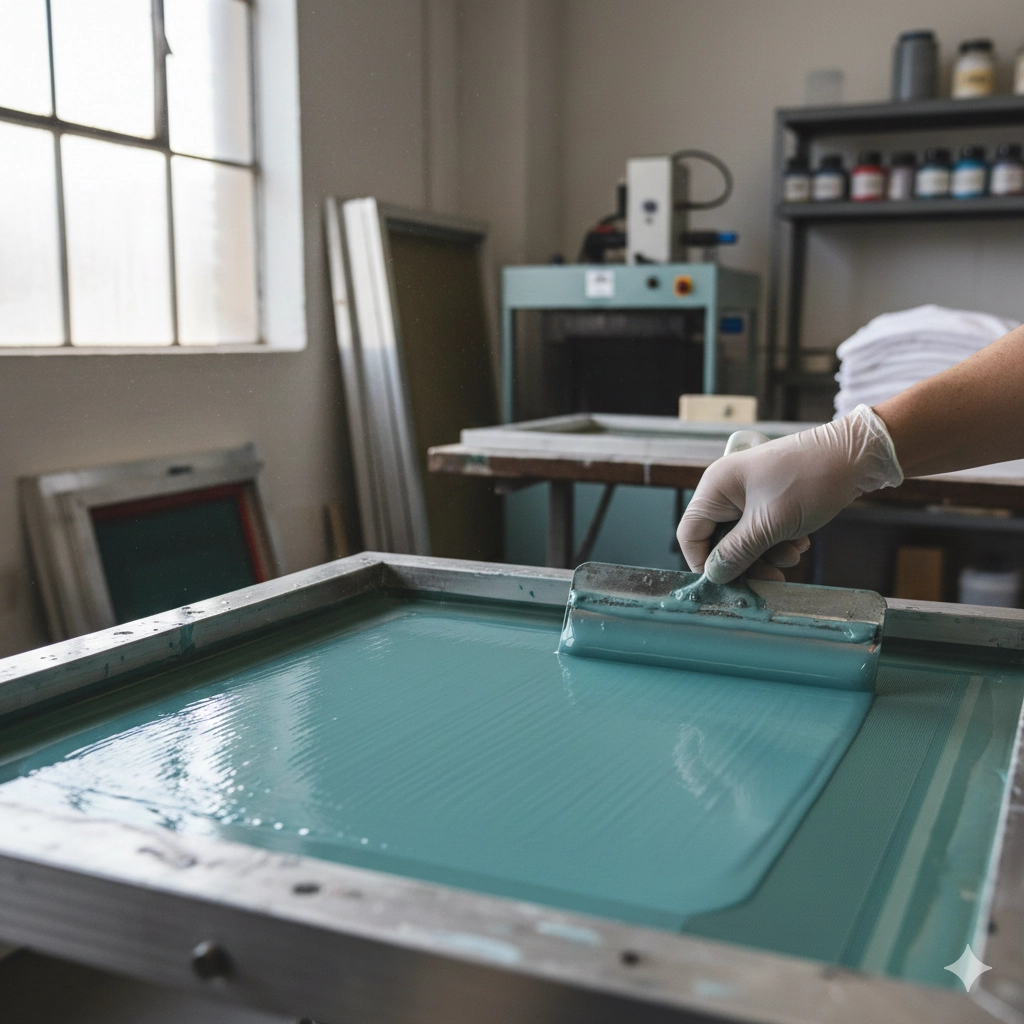
One of the best ways to prevent the ink from drying is to flood the screen after every pull. That means spreading a layer of ink over the image area without forcing it through the mesh.
Why it works:
- It seals the stencil from air.
- It keeps fresh ink in contact with the mesh.
- It delays drying even during short breaks in production.
Always flood with enough ink to fully cover the design, especially if using water-based or plastisol inks that sit longer during pauses.
2. Add a Retarder Additive
A retarder is a chemical you can mix into your ink to slow the drying rate. Especially useful for water-based ink, a retarder additive increases “open time”—the window before ink starts to harden on the screen.
Only add what’s recommended by your ink supplier. Too much can affect opacity and printability.
3. Mist the Screen with Water
During long runs or in hot, dry shops, use a fine spray bottle to mist the screen with water every 10–15 minutes. This keeps the ink surface hydrated without overly thinning it.
✅ Ideal for printing with water-based inks
❌ Not recommended for plastisol unless you’re misting the air for humidity
Tip: Mist the bottom of the screen too, especially if you leave it unattended.
4. Stir Ink Frequently
To keep consistency and prevent skinning, stir your ink every few prints. Ink exposed to air—even just sitting in a press—can start drying on the screen edges.
If you’re using multiple colors, stir each one regularly and keep lids or cloth covers over open containers.
5. Clean Screens Immediately After Use
Don’t wait to remove leftover ink. Even after one print run, cleaning prevents hardened emulsion or permanent clog in your mesh.
Steps:
- Scrape off excess ink.
- Wipe with a clean rag.
- Use screen wash to remove stains or dried film.
- Rinse and dry thoroughly before reuse.
Early cleanup saves hours of rework later.
Additional Tips for Professionals and Enthusiasts
- Use slower-curing inks in hot climates.
- If you stop printing, pull another test print to keep things moving.
- Avoid using high-powered fans near the screen—they dry the ink faster.
- Choose the correct mesh count for your design to balance coverage and airflow.
- Use flood bars or coating tools to lay down a smooth ink over the image area between prints.
What Happens if Ink Dries in the Mesh
| Problem | Result |
|---|---|
| Ink skins over mesh | Uneven or missing prints |
| Dried particles clog screen | Lost image area and fuzzy detail |
| Overworking screen with cleaner | Worn or damaged emulsion |
| Ink dries during run | Full screen wash required |
FAQs
How can I prevent the ink from drying during long runs?
Always flood the screen, stir often, and mist with water when needed. Use retarder for extra working time.
Is water-based ink more likely to dry on the screen?
Yes. It evaporates faster than plastisol. Keep the screen with water every few prints and avoid sitting too long without movement.
What mesh count is best to avoid drying?
Lower mesh counts (110–160) hold more ink and dry slower. Finer mesh dries quicker but gives better detail. Balance based on your design.
What’s the fastest way to recover from a dry screen?
Do a full screen wash, then reapply emulsion if needed. If caught early, a mist and pull can save the next print.
Final Thoughts
Making the ink stay wet is part chemistry, part habit. If you’re printing outdoors, in heat, or just moving slower than usual, take extra care to:
- Flood after every pull.
- Mist the screen.
- Use retarder when needed.
- Keep inks stirred and covered.
- Clean thoroughly right after the run.
Following these habits keeps your prints sharp, saves ink, and protects your mesh from damage.